![1f613ec134bc17877e144c3a22fc3808.png]](https://help.thirst.io/hs-fs/hubfs/1f613ec134bc17877e144c3a22fc3808.png?height=40&name=1f613ec134bc17877e144c3a22fc3808.png)
Easily create quizzes using AI with three flexible methods: generate from existing content, paste text for AI-driven questions, or manually add your own. Enhance engagement and streamline learning with intuitive quiz creation options.
Note: Thirst AI must be enabled in Organisation Settings for the AI quiz generation options to be available.
Creating a Quiz
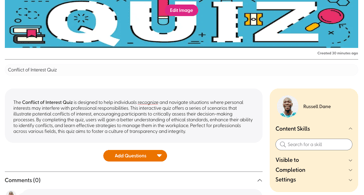
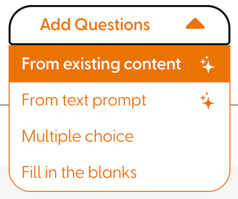
When creating Quiz Content, selecting Add Questions will provide you with options to create questions:
-
From existing content – Select existing content available on the platform to automatically generate multiple choice quiz questions, allowing you to specify the number of questions to generate.
-
From text prompt – Copy and paste any text to generate multiple choice quiz questions using AI, allowing you to specify the number of questions to generate.
-
Multiple choice – Add multiple choice questions manually.
- Fill in the blanks – Add fill in the blanks questions manually.
Generating a Quiz from a Learning Journey
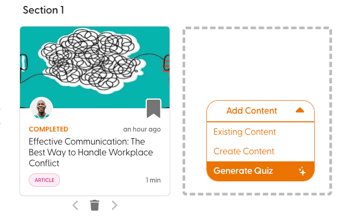
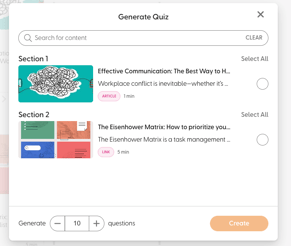
You can also generate a quiz directly within a Learning Journey. Simply select Generate Quiz, and you will be prompted to select content from within the Learning Journey to generated a quiz from.
Optimising Your Quizzes
-
Review AI-generated questions: Ensure the questions align with your learning objectives.
-
Customise manually: Edit or add questions to refine the quiz.
-
Use different methods: Experiment with different quiz generation methods to find the best fit for your content.